

Introduction
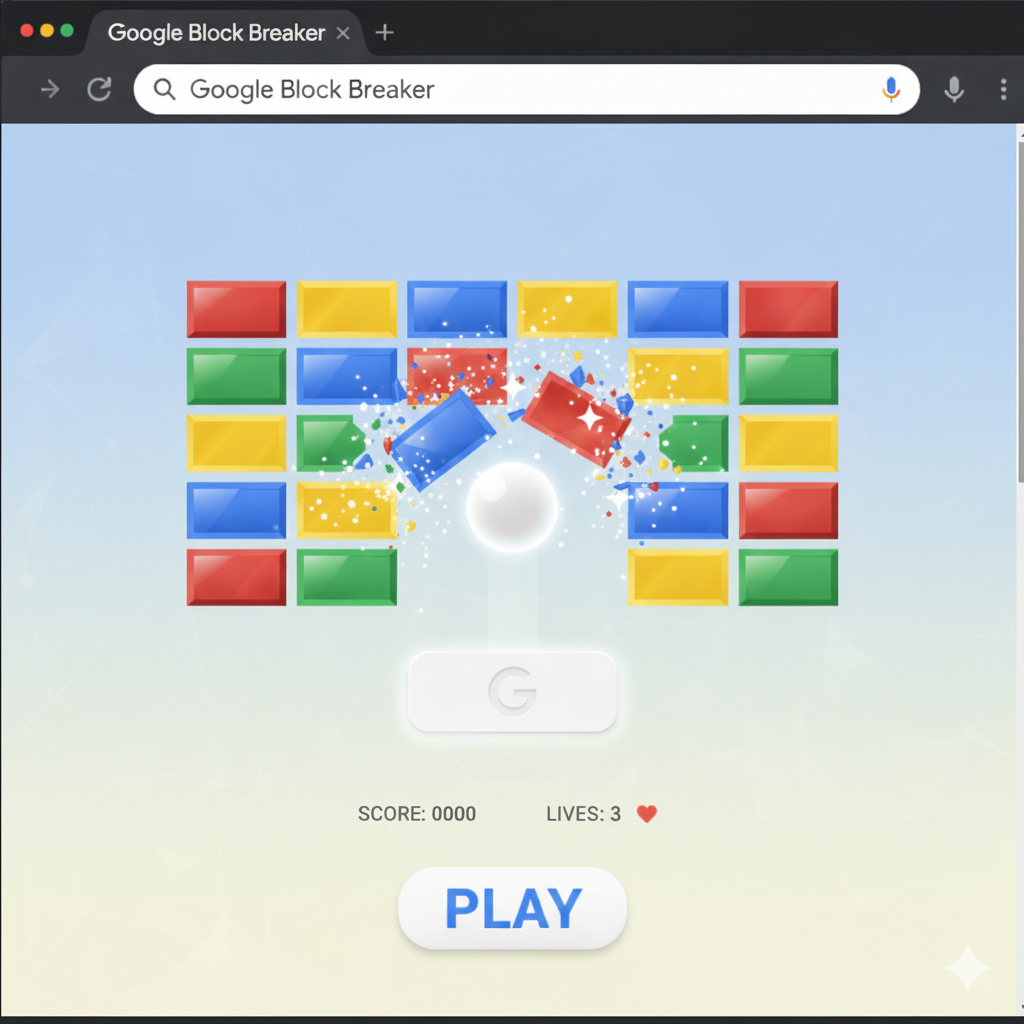
Google Block Breaker is a browser-based mini-game that allows players to break blocks using a bouncing ball and a movable paddle. The goal is to clear all blocks on the screen without letting the ball fall.
The game is inspired by classic arcade titles often referred to as brick breaker or block breaker games. Google’s version keeps the experience lightweight, beginner-friendly, and visually simple.
Key Characteristics of Google Block Breaker
- No downloads required
- Free to play
- Simple controls
- Suitable for all ages
- Works directly in the browser
It is sometimes associated with Google Doodles or Google Search-based games, making it part of Google’s hidden game ecosystem.
Google Block Breaker Game Overview
Game Objective
The primary objective is to destroy all blocks on the screen by bouncing a ball using a paddle. Each successful hit breaks a block, gradually clearing the level.
Core Gameplay Elements
- Paddle controlled by the player
- One or more bouncing balls
- Rows of breakable blocks
- Boundaries that reflect the ball
The challenge increases as the ball speeds up or blocks are arranged in more complex patterns.
History and Inspiration Behind Google Block Breaker
Origins of Block Breaker Games
Block breaker games originated in early arcade history. Titles like Breakout introduced players to paddle-and-ball mechanics that required timing and precision.
Google’s Approach
It takes inspiration from these classic games but removes complexity. The focus is on instant fun rather than high difficulty, making it accessible for beginners.
How to Play Google Block Breaker
Step-by-Step Guide for Beginners
Step 1: Access the Game
Search for it using Google Search. When available, the game interface appears directly in the browser.
Step 2: Start the Game
Click the play button or interact with the screen to begin. The ball will launch automatically or after your first input.
Step 3: Control the Paddle
Use your keyboard, mouse, or touch input depending on your device.
- Move left to catch the ball
- Move right to redirect the ball
Step 4: Break the Blocks
Bounce the ball upward to hit blocks. Each collision removes a block from the screen.
Step 5: Avoid Losing the Ball
If the ball falls below the paddle, the game ends or you lose a life, depending on the version.
Controls Explained Clearly,
Desktop Controls
- Mouse movement controls paddle position
- Arrow keys may be supported
Mobile Controls
- Touch and drag the paddle
- Tap to start the game
Controls are intentionally simple so players can focus on timing rather than learning complex mechanics.
Google Doodle Block Breaker Explained
Google often releases interactive Doodles to celebrate events, anniversaries, or games. Some versions of it appear as part of these Doodles.
What Makes Google Doodle Block Breaker Special?
- Limited-time availability
- Custom graphics
- Smooth animations
- Optimized for quick play sessions
These versions may not always be accessible, making them popular among Google game enthusiasts.
Why it Is So Popular
Easy Accessibility
Players do not need gaming skills or installations. Anyone can play instantly.
Nostalgic Appeal
The game reminds players of classic arcade experiences, creating emotional connection.
Stress-Free Gameplay
No complex rules, no pressure, just casual fun.
Ideal for Short Breaks
Perfect for students or office workers looking for quick entertainment.
Tips and Tricks for Google Block Breaker
Beginner Tips
- Keep the paddle centered
- Watch the ball’s angle
- Stay calm and react slowly
Intermediate Strategies
- Aim the ball toward corners
- Use paddle edges to change direction
- Focus on clearing top rows first
Common Mistakes to Avoid
- Over-moving the paddle
- Ignoring ball speed changes
- Panicking when the ball accelerates
Differences Between Google Block Breaker and Traditional Brick Breaker Games
Simplicity
It removes power-ups and complicated scoring systems.
Focus on Accessibility
Designed for all ages and skill levels.
Browser-Based Experience
No console or installation required.
Is it free to play?
Yes. It is completely free. There are no purchases, subscriptions, or ads interfering with gameplay.
Devices That Support Google Block Breaker
Supported Platforms
- Desktop computers
- Laptops
- Tablets
- Smartphones
The game adapts to different screen sizes automatically.
Educational Benefits of Google Block Breaker
Although it is a casual game, Google Block Breaker offers subtle learning benefits.
Skills Developed
- Hand-eye coordination
- Focus and concentration
- Reaction time
- Pattern recognition
These benefits make it especially appealing to students.
Google Block Breaker for Casual Gamers
Casual gamers often prefer games that are:
- Easy to understand
- Quick to play
- Stress-free
It fits all these criteria, making it ideal for non-hardcore players.
Safety and Privacy Considerations
Since it runs inside Google Search or Doodles, it does not require personal information or downloads, making it safe for general use.
Troubleshooting Common Issues
Game Not Loading
- Refresh the browser
- Try a different device
- Ensure JavaScript is enabled
Controls Not Responding
- Switch input method
- Reload the page
- Use a supported browser
Frequently Asked Questions
What is Google Block Breaker?
It is a browser-based mini-game where players break blocks using a paddle and ball, inspired by classic arcade games.
How do I play Google Block Breaker?
You play by searching for the game on Google and using the on-screen controls to move a paddle and bounce a ball to break blocks.
Is Google Block Breaker the same as Google Brick Breaker?
Yes, both terms are commonly used to describe the same style of game on Google.
Do I need to download anything to play?
No. The game runs directly in the browser.
Is it suitable for kids?
Yes. The game is simple, safe, and family-friendly.
Can I play Google Block Breaker on my phone?
Yes. The game supports mobile devices with touch controls.
Does it save progress?
Typically, no. Each session starts fresh.
Conclusion
Google Block Breaker is a perfect example of how simple games can still be fun, engaging, and memorable. With no downloads, no learning curve, and instant more accessibility, it appeals to beginners, students, and casual gamers alike.
Whether you are exploring Google’s hidden games or looking for a quick way to relax, It offers a timeless arcade experience in a modern browser-friendly format. Its simplicity, nostalgia, and ease of play make it one of Google’s most enjoyable mini-games.
