

Introduction
Productivity tools are everywhere, yet many people still feel overwhelmed, distracted, and overworked. Long task lists grow faster than they shrink, calendars fill up without intention, and burnout becomes a constant risk. Sunsama was created to solve this exact problem.
Sunsama is a daily planning and productivity tool that helps users plan realistic workdays by combining task management, time blocking, and intentional decision-making. Instead of pushing you to do more, It encourages you to do what truly matters within the time you actually have.
This complete guide explores what Sunsama is, how it works, its features, benefits, drawbacks, comparisons, and whether it is worth using in 2025.
What Is Sunsama?
It is a digital daily planner designed for knowledge workers, remote teams, freelancers, and business owners. Its core philosophy is simple: productivity should be sustainable, not stressful.
Unlike traditional to-do apps that focus on collecting tasks, It focuses on planning your day with intention. Each morning, users select tasks they want to work on and schedule them into their calendar using time blocking. This approach helps prevent overcommitment and promotes better focus.
How Sunsama Works
Guided Daily Planning
It starts with a guided daily planning flow. Instead of dumping all tasks onto your plate, it asks you to consciously choose what you want to work on today.
This process includes:
- Reviewing tasks from connected tools
- Selecting priorities for the day
- Estimating how long each task will take
- Scheduling tasks on your calendar
Time Blocking System
Time blocking is at the heart of Sunsama. Every task is assigned a time slot, allowing you to visually see how much work you are planning.
This helps users:
- Avoid unrealistic schedules
- Understand time limitations
- Balance meetings and deep work
- Protect personal time
End-of-Day Reflection
At the end of the day, Sunsama prompts users to review what they completed and move unfinished tasks forward. This reflection builds awareness and encourages healthier work habits.
Key Features of Sunsama
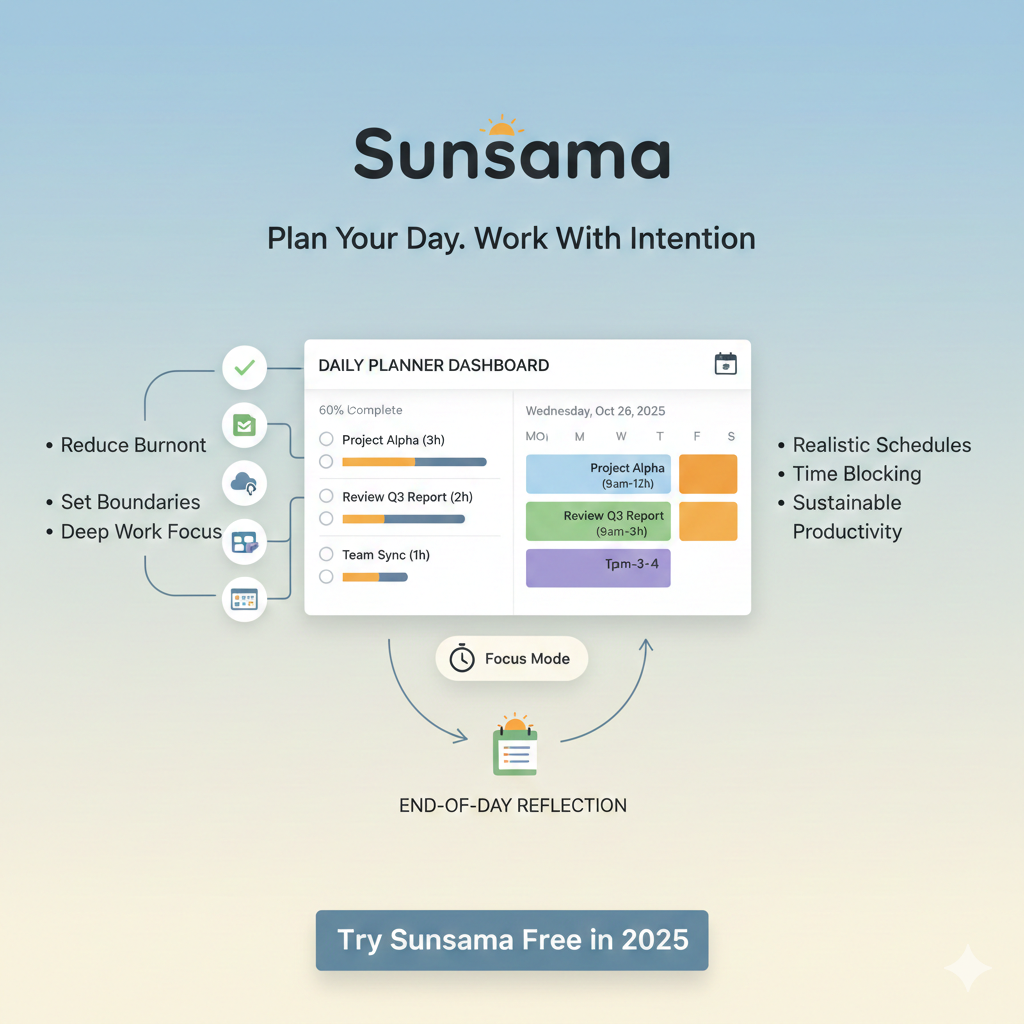
Daily Planner Dashboard
The dashboard shows:
- Today’s tasks
- Calendar view
- Focus mode
- Progress indicators
This clean layout reduces distractions and keeps attention on what matters.
Task Integrations
Sunsama pulls tasks from other tools, allowing users to manage everything in one place. Tasks are not duplicated but synced, keeping original systems intact.
Calendar Integration
It integrates directly with your calendar, showing meetings alongside tasks. This prevents double-booking and unrealistic planning.
Focus Mode
Focus mode allows users to work on one task at a time. It minimizes distractions and reinforces deep work habits.
Weekly Review
Weekly planning helps users reflect on the past week and prepare for the next one. This feature supports long-term productivity and better goal alignment.
Sunsama as a Productivity Tool
Why Sunsama Feels Different
Most productivity tools emphasize speed and volume. It emphasizes intention and balance.
Instead of asking:
“How many tasks can you complete?”
Sunsama asks:
“What is worth your time today?”
Reducing Burnout
By limiting daily workload and encouraging shutdown rituals, it helps users:
- Set boundaries
- Avoid overworking
- Maintain mental clarity
This makes it especially valuable for remote workers and freelancers.
Sunsama Daily Planner Explained
Planning Your Day Step by Step
- Open it in the morning
- Review tasks from connected tools
- Choose what you want to work on today
- Estimate time for each task
- Drag tasks into your calendar
- Adjust schedule to fit your real availability
Why Daily Planning Matters
Daily planning creates clarity. You stop reacting to tasks and start acting intentionally. Sunsama makes this process simple and repeatable.
Sunsama Time Blocking in Practice
Time blocking is often recommended but rarely implemented correctly. it removes the friction.
Benefits of Time Blocking with Sunsama
- Clear start and end times for tasks
- Visual workload awareness
- Better focus and fewer interruptions
- More realistic daily expectations
Who Benefits Most from Time Blocking
- Remote workers
- Freelancers
- Managers
- Developers
- Consultants
If your work requires deep thinking, Sunsama’s time blocking approach can significantly improve productivity.
Sunsama App Review: Pros and Cons
Pros of Sunsama
- Clean and distraction-free interface
- Strong focus on daily planning
- Excellent time blocking system
- Encourages work-life balance
- Ideal for remote and knowledge workers
Cons of Sunsama
- Not suitable for complex project management
- Paid tool with no long-term free version
- May feel slow for users who prefer quick task entry
Sunsama vs Motion Comparison
Core Philosophy
It focuses on mindful planning and user control.
Motion focuses on automation and AI-driven scheduling.
Planning Style
Sunsama: Manual, intentional, human-led
Motion: Automated, algorithm-driven
Flexibility
Sunsama gives users full control over their schedule.
Motion adjusts schedules automatically, which may feel restrictive to some users.
Best For
It is best for users who want clarity and balance.
Motion is best for users who want automation and minimal decision-making.
Who Should Use Sunsama?
Beginners
It is beginner-friendly and teaches good planning habits.
Remote Workers
It helps structure days without office routines.
Freelancers
Time awareness improves billing accuracy and work-life balance.
Business Owners
Intentional planning supports strategic thinking.
Productivity Enthusiasts
It aligns well with proven productivity methods.
Who Should Not Use Sunsama?
- Users who want a free productivity tool
- Teams needing advanced project tracking
- People who dislike daily planning routines
Is Sunsama Worth It in 2025?
It is worth it if:
- You feel overwhelmed by tasks
- You struggle with unrealistic schedules
- You want better focus and balance
- You value intentional productivity
It may not be worth it if:
- You prefer automation over planning
- You need complex project management
- You want a free solution
FAQs About Sunsama
What is Sunsama used for?
It is used for daily planning, task management, and time blocking.
Is Sunsama good for beginners?
Yes, it is beginner-friendly and guides users through planning.
Can Sunsama replace a task manager?
It works best alongside existing task managers rather than replacing them.
Is it good for remote work?
Yes, it is especially effective for remote and flexible work environments.
Does Sunsama help with work-life balance?
Yes, it encourages realistic planning and daily shutdown routines.
Final Conclusion
Sunsama is not just another productivity app. It is a daily planning system designed to help people work with intention, clarity, and balance. By combining task management, more time blocking, and reflection, it helps users avoid burnout and focus on meaningful work.
In 2026, it stands out as a premium productivity tool for people who value quality over quantity. If your goal is to plan better days rather than chase endless tasks, it is a strong and reliable choice.
