

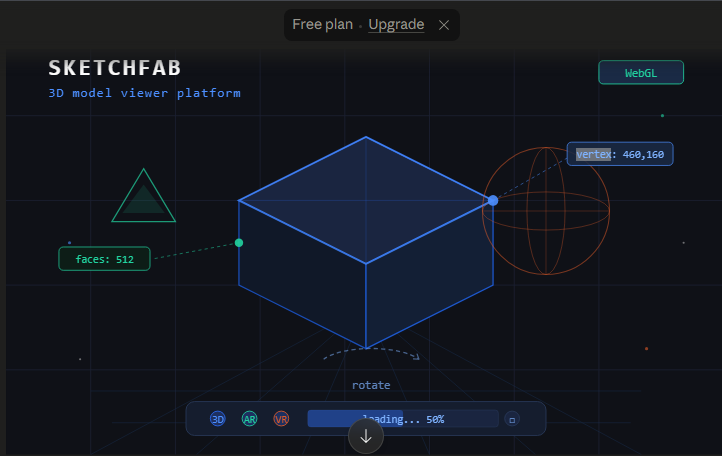
If you have ever searched for a 3D model online and ended up on a page where you could rotate, zoom, and inspect it right inside your browser without downloading anything, there is a good chance you were using Sketchfab. It is one of those platforms that quietly became essential for an enormous number of people, from game developers and architects to museum curators and students.
This guide covers everything you need to know about Sketchfab: what it is, how it works, who uses it, what features it offers, how to upload and download models, and how it fits into the broader 3D content ecosystem in 2025.
What Is Sketchfab
Sketchfab is a web-based platform for publishing, sharing, and discovering 3D, VR, and AR content. At its core it is a 3D model viewer, a community, and a marketplace all rolled into one. You do not need to install any software or plugin. You open a browser, go to the site, and models come to life right there on the page.
Before Sketchfab, viewing a 3D model online usually required proprietary software or browser plugins that most people did not have. Sketchfab removed that barrier by building a viewer on top of WebGL, the web technology that lets browsers render 3D graphics natively.
Today it hosts millions of models across every imaginable category. Casual hobbyists, professional studios, universities, and museums all use it for different purposes, but the core experience is the same: interactive 3D content that anyone can view.
A Brief History of Sketchfab
Sketchfab started in early 2011 when developer Cedric Pinson built it under the name ShowWebGL. In 2012, Alban Denoyel joined the project and they relaunched the platform under the Sketchfab name. The startup joined the French accelerator Le Camping and later TechStars in New York City.
The platform grew steadily through the 2010s, raising several rounds of funding including a $7 million Series A in 2015. It built a large community of 3D creators and became the go-to place for sharing interactive 3D work on the web.
In July 2021, Epic Games, the company behind Unreal Engine and Fortnite, acquired Sketchfab. This was a significant move that brought one of the largest game engine ecosystems together with the largest 3D community platform. However, the Sketchfab community platform, viewer, and free model library continue to operate.
How the Sketchfab 3D Viewer Works
The 3D viewer is the heart of Sketchfab and the feature that most users interact with first. You can rotate the model in any direction, zoom in and out, pan across the scene, and inspect details from any angle.
This works through WebGL, a JavaScript API that allows browsers to render 3D graphics using the device’s GPU. The viewer works across all major browsers, operating systems, and devices including Windows, macOS, Linux, iOS, and Android.
Beyond basic navigation, the viewer includes a number of more advanced features.
Annotations
Creators can add clickable annotation points to a model. These are useful for educational content, product showcases, or architectural walkthroughs where you want to guide the viewer’s attention to specific areas and provide written explanations.
Lighting and Post-Processing
The viewer includes controls for adjusting lighting, background environments, and post-processing effects. Creators can set up their model to look exactly as intended, with control over shadows, reflections, and ambient lighting.
Wireframe and Inspector Mode
Users can toggle a wireframe overlay to inspect the geometry of a model. This is particularly useful for technical review or learning how a model was constructed.
VR Mode
The platform supports Google Cardboard, Samsung Gear VR, HTC Vive, and Oculus Rift, among others.
AR Mode
On mobile devices, the Sketchfab app and mobile browser viewer allow augmented reality previews using ARKit on iOS and ARCore on Android. You can place a 3D model in your real environment and walk around it as if it were physically present.
Supported 3D File Formats
One of the reasons Sketchfab became so widely adopted is its broad support for 3D file formats. You do not need to convert your model before uploading. Supported formats include OBJ, FBX, BLEND, 3DS, STL, DAE, GLTF, GLB, PLY, and several dozen more.
This means whether you are working in Blender, Maya, 3ds Max, Cinema 4D, SketchUp, ZBrush, SolidWorks, or almost any other 3D application, you can upload directly to Sketchfab without a complex export workflow.
The platform also offers dedicated exporter plugins for many of the most popular tools, allowing you to publish to Sketchfab in a single click from inside your 3D software. Blender and Adobe Photoshop support native publishing to Sketchfab without any additional plugin.
Free 3D Models on Sketchfab
One of the most commonly used features of Sketchfab is its library of free 3D models. Creators on the platform can choose to make their models available for free download under Creative Commons licenses. There are several license types to understand.
CC0 — Public Domain
Models shared under CC0 are completely free to use for any purpose, commercial or personal, with no attribution required. These are the most permissive assets available on the platform.
CC-BY — Attribution Required
Models shared under CC-BY are free to use but require you to credit the original creator. This is standard for most Creative Commons content on the web.
Editorial Use Only
This is common for models of branded products, real locations, or other content where commercial use would create legal concerns.
NoAI Tag
In response to concerns from the community about AI training, Sketchfab added a NoAI designation that creators can apply to their models. This indicates the creator does not consent to their work being used to train AI systems.
When downloading free models, always check the license carefully before using them in commercial projects.
How to Upload a Model to Sketchfab
Uploading a model is straightforward and takes only a few minutes. Here is a step-by-step overview of the process.
Step 1: Create an Account
Register for a free account using an email address. Free accounts support uploads up to 50MB per file with unlimited uploads depending on your plan type.
Step 2: Prepare Your File
Export your model from your 3D software in a supported format. If your model uses textures, you can package everything into a single ZIP file and upload the archive.
Step 3: Upload
Click the Upload button on the site, select your file or ZIP archive, and let the processing run. Sketchfab will analyze the file, apply automatic optimizations, and prepare it for web viewing.
Step 4: Configure the Viewer
Once the model is processed, you enter the 3D editor. Here you can adjust materials, set up lighting, configure camera angles, add annotations, and preview how the model looks in the viewer.
Step 5: Set Visibility and License
Choose whether the model is public or private. If you want to share it with the community, make it public. Assign a Creative Commons license if you want to allow free downloads.
Step 6: Publish
Click publish and your model is live. You receive a direct URL and an embeddable iframe code that lets you drop the viewer into any website or platform that supports iframes, including WordPress, social media, forums, and custom web applications.
Sketchfab Plans: Free vs Pro vs Enterprise
Sketchfab offers several account tiers suited to different needs.
| Feature | Free | Pro | Business/Enterprise |
|---|---|---|---|
| Upload size | 50MB per file | 200MB+ | Custom |
| Private models | Not available | Available | Available |
| Password-protected models | Not available | Available | Available |
| Custom domain embedding | Limited | Full | Full |
| Analytics | Basic | Advanced | Advanced |
| API access | Read only | Full | Full |
| Commercial use | Limited | Full | Full |
The free plan is sufficient for hobbyists, students, and creators who want to share their work publicly. The Pro plan is designed for professionals who need privacy controls, larger uploads, and commercial usage rights. Enterprise plans are built for companies that need dedicated environments for internal 3D asset management and collaboration.
Who Uses Sketchfab and Why
Sketchfab has a remarkably diverse user base. Understanding who uses it and why helps clarify just how versatile the platform is.
Game Developers and 3D Artists
This is the core user base. Developers use Sketchfab to share work-in-progress assets, showcase portfolio pieces, and download reference models or ready-made assets. The ability to inspect a model interactively before downloading saves enormous time.
Museums and Cultural Institutions
Sketchfab has partnered with major cultural institutions worldwide to make 3D scans of artifacts, sculptures, and heritage sites freely available. Institutions like the Smithsonian and the British Museum have uploaded thousands of models, making Sketchfab an unprecedented archive of interactive cultural heritage.
Educators and Students
Classrooms use Sketchfab to teach 3D design, anatomy, archaeology, and science. Students can submit assignments as interactive 3D models instead of screenshots, and teachers can embed viewer windows directly into lesson materials.
Architects and Product Designers
Architects embed Sketchfab viewers in client presentations and project websites, allowing clients to explore buildings and spaces without any special software. Product designers use it to showcase prototypes.
E-Commerce and Advertising
Brands embed 3D model viewers on product pages to let customers inspect items from every angle before purchasing. This is increasingly common for furniture, footwear, electronics, and accessories.
Sketchfab and the AR and VR Landscape
In 2025, augmented and virtual reality content is no longer niche, and Sketchfab sits at an interesting intersection of the web, 3D creation, and immersive technology.
The platform supports WebXR, the open web standard for immersive experiences, which means users on compatible devices can click a button and transition from viewing a model on a flat screen to experiencing it in a virtual environment. No app required.
The AR preview feature has become increasingly useful as mobile devices have improved their spatial computing capabilities. Apple Vision Pro and other modern headsets have expanded the potential for browser-based 3D previewing.
For developers building AR or VR applications, Sketchfab’s Download API allows them to integrate model browsing and downloading directly into their own tools. This has led to Sketchfab models appearing inside a wide range of third-party applications and development environments.
Sketchfab vs Other 3D Platforms
There are several other platforms in the 3D model space. Understanding where Sketchfab fits helps users choose the right tool for their specific needs.
TurboSquid is one of the oldest 3D marketplaces and focuses primarily on commercial-grade, production-ready models with rigorous quality standards. It is better suited for professionals sourcing models for film or advertising production than for community sharing.
CGTrader offers a broad catalog with flexible pricing and is strong in formats optimized for game engines. It competes more directly with Sketchfab’s commercial store side, which has now moved to Fab.
Fab, the Epic Games-owned marketplace that absorbed Sketchfab’s selling features, is now the primary destination for buying and selling 3D assets within the Unreal Engine ecosystem.
Sketchfab’s unique strength remains its community, its viewer technology, and its vast free library. No other platform makes interactive 3D content so effortlessly shareable and viewable on the web.
Common Issues and How to Handle Them
Model Not Displaying Correctly
If your model appears with missing textures or incorrect colors, the most common cause is that textures were not included in the upload. Pack all textures into the same ZIP file as your model file before uploading.
Slow Loading
Large models with very high polygon counts or oversized textures can load slowly. Consider optimizing your mesh and reducing texture resolution before uploading for a better viewer experience.
License Confusion
Before using any downloaded model in a project, read the license carefully. CC0 means free for anything. CC-BY means you must credit the creator. Editorial only means no commercial use at all. Ignoring these can create legal issues.
Account Limits
Free accounts have a 50MB upload limit per file. If you regularly work with large files, a Pro plan removes most of these restrictions.
Tips for Getting the Most Out of Sketchfab
Getting your models seen and making the most of what the platform offers comes down to a few consistent habits.
Set up your viewer carefully. The default import settings are fine but spending time in the 3D editor to adjust lighting, remove unwanted background elements, and configure the initial camera position makes your model look significantly better.
Write a clear description. Search results on the platform are influenced by titles, tags, and descriptions. Write clear, descriptive titles and add relevant tags to make your model discoverable.
Use collections to organize your work. If you upload frequently, grouping models into collections by project, style, or category keeps your profile organized and makes it easier for viewers to explore related work.
Engage with the community. Sketchfab has a social layer. Following other creators, commenting on models you admire, and participating in community events increases your visibility on the platform
FAQs
1.What is Sketchfab used for?
Sketchfab is used to publish, share, discover, and embed 3D models on the web. It is used by 3D artists, game developers, educators, architects, museums, and product designers to make 3D content interactive and shareable without requiring any special software from viewers.
2. Is Sketchfab free to use?
Yes. Sketchfab has a free plan that allows unlimited public uploads up to 50MB per file. Free accounts can view, download, and share models.
3. Can I sell 3D models on Sketchfab?
The selling marketplace that was previously part of Sketchfab has been moved to Fab, Epic Games’ unified asset store. You can still share and offer free downloads through Sketchfab itself.
4. What file formats does Sketchfab support?
Sketchfab supports a very broad range of formats, including OBJ, FBX, BLEND, GLTF, GLB, STL, DAE, 3DS, PLY, and many more. It also accepts ZIP archives containing a model and its associated texture files.
Does Sketchfab support AR and VR?
Yes. Sketchfab supports WebXR for VR viewing in compatible headsets and offers AR preview functionality on mobile devices through ARKit on iOS and ARCore on Android.
5. Can I embed a Sketchfab model on my website?
Yes. Every model on Sketchfab has an embeddable iframe code. You can paste this into any website or platform that supports iframes.
6. Who owns Sketchfab now?
Sketchfab was acquired by Epic Games in July 2021.
The platform continues to operate as a community site while the commercial selling features have been integrated into Epic’s Fab marketplace.
7. Are free Sketchfab models safe to use commercially?
It depends on the license. CC0 models are safe for commercial use without any requirements. CC-BY models require attribution.
Conclusion
Sketchfab occupies a genuinely unique position in the digital content landscape. It started as a clever solution to a simple problem, how to share 3D models on the web without friction, and grew into one of the most important community platforms for 3D creators worldwide.
Whether you are a beginner exploring free models for a class project, a developer showcasing a portfolio of 3D work, a museum digitizing artifacts, or a brand looking to add interactive product previews to a website, Sketchfab has something to offer. Its viewer technology is powerful, its community is active, and its free model library is one of the most valuable open resources in the 3D world.
With Epic Games behind it and continued integration into the broader creative technology ecosystem, Sketchfab in 2025 is more relevant than ever. Understanding how to use it well, from uploading and configuring models to understanding licenses and embedding viewers, gives any creator a meaningful advantage in how they present and share 3D work with the world.
